R&S®FSWP Phase noise analysis to determine the number of sweep points

The R&S®FSWP is a highly sensitive, powerful and easy-to-use instrument to measure phase noise and spurious of RF and microwave signal sources. Users can anticipate the amount of returned data in subsequent measurements by calculating the number of trace points associated with half-decade measurement ranges.

Your task

The R&S®FSWP computes phase noise in half-decade frequency offset ranges. Users select one or more consecutive offset ranges, from 1 µHz to 10 GHz. To cover such a wide offset range, measurements use logarithmic frequency spacing.

When exporting data via CSV files or retrieving data via remote control, users need to predict how many trace points to expect, based on the measurement settings. The resulting number of trace points is a function of offset start and stop frequency, as well as resolution bandwidth. Spurious signals complicate matters further, particularly for remote control. Depending on the SCPI command that is used, spurious may add directly to the number of returned trace points.

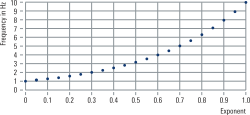
Frequency versus linear exponent spacing (linear graph)
라이트박스 열기

Rohde & Schwarz solution

A logarithmic frequency sweep consists of one or more power-of-ten ranges. Each range covers a decade: 0.1 to 1.0, 1.0 to 10, 10 to 100, etc. where the power-of-ten exponents are linearly spaced. If we compute a decade of frequency from 1 Hz to 10 Hz with 20 points using logarithmic frequency spacing, our exponent values range from 0 and 1 with a linear step size of 0.05. In the graph shown here, the x-axis shows the linearly spaced exponents and the y-axis depicts the corresponding frequency values f(x) according to the function f(x) = 10x.

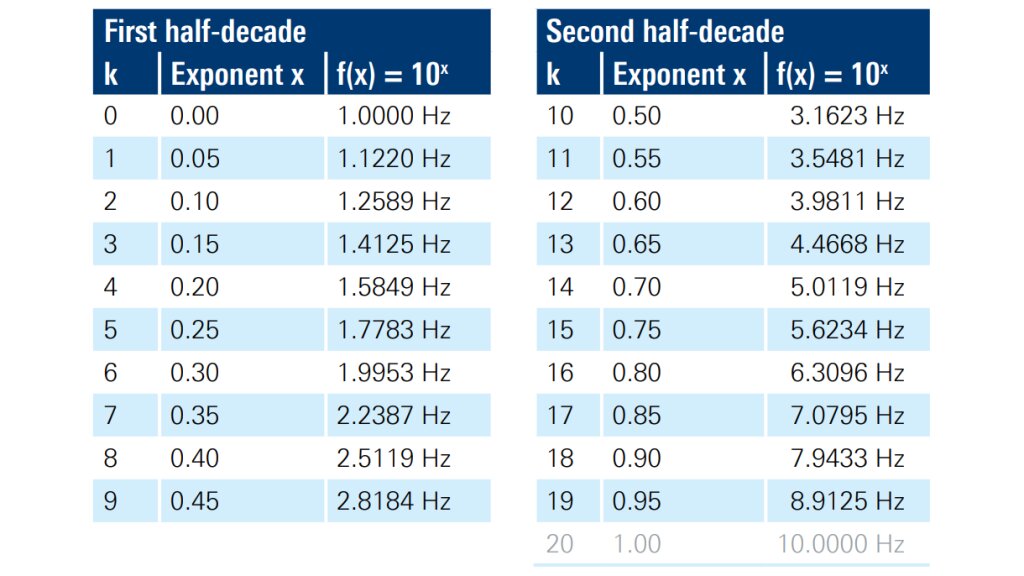
In a logarithmic sweep, the resulting frequency spacing increases as the exponents grow because the gap between adjacent frequency points increases exponentially. Start and stop points are an exact power of ten (start = 1 Hz and stop = 10 Hz in this example). However, if we consider half-decades (1 to 3, 3 to 10, etc.), we find that “3” is not an exact power of ten. The closest points to 3 Hz are 2.8184 Hz and 3.1623 Hz (see table further down).

Specifically, the first half-decade (k = 0 to k = 9) ends at 2.8184 Hz. The second half-decade (k = 10 to k = 19) begins at 3.1623 Hz and ends at 8.9125 Hz. The next half-decade would begin at 10.0000 Hz.

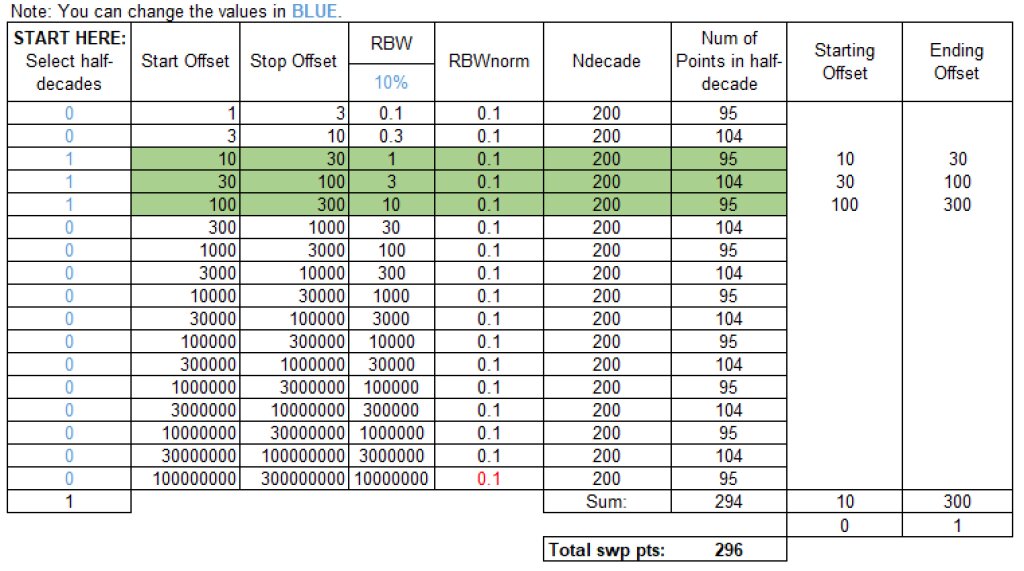
By default, the R&S®FSWP uses 200 points per decade. This is computed from Ndecade = 20/RBWnorm, where RBW in % is the resolution bandwidth divided by the start offset frequency for that decade. For half-decades, the formula is more complicated. Additionally, the number of points in a sweep will depend on whether the offset range begins or ends on a power-of-ten value (1, 10, 100, 1000, etc.) or a half-decade value (3, 30, 300, 3000, etc.). All of these details can be incorporated in a spreadsheet for the user’s own calculations, for example.

Frequency gap depending on power of ten

Example of a spreadsheet with formulas for performing the user’s own calculations

Spurious signals

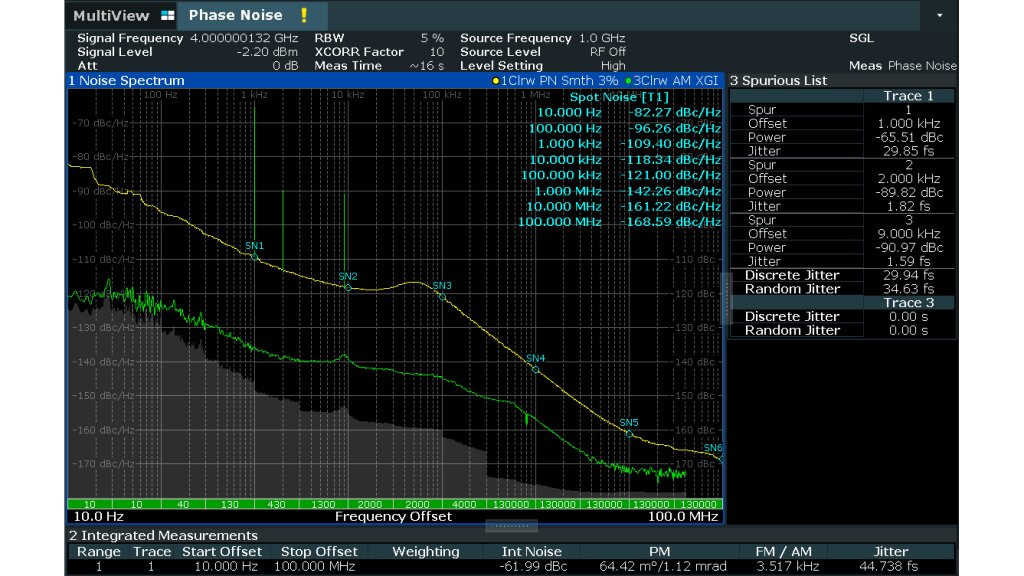
When the R&S®FSWP measures spurious signals, it lists them in a spurious table and may display them on the main screen along with the phase noise. The user has the choice of reading back the spurs merged with the phase noise data, or keeping them separate.

Examples of useful SCPI commands

  • To query the number of points for the merged result (phase noise plus spurs) from trace 1, use: TRAC1:Y:POIN? TRACE1
    Note: This requires that spurs are not suppressed on trace 1. Send this command first: DISP:WIND1:TRAC1:SPUR:SUPP 0
  • To query only the number of phase noise points fromtrace 1, use: TRAC1:POIN? TRACE1
  • To query the spur count, use: FETC:PNO:SPUR:COUN?
  • To query the actual spur value(s), use: FETC:PNO:SPUR?

Summary

The R&S®FSWP allows easy, fast and accurate phase noise measurements. By understanding the relationship between frequency offset ranges, bandwidth and detected spurs, users can anticipate the number of trace points returned by different remote control commands.

정보 요청

Do you have questions or need additional information? Simply fill out this form and we will get right back to you.
For service/support requests, please go here to log in or register.

마케팅 동의

신청하신 내용이 제출되었습니다. 빠른 시일 내 회신 받으실 것입니다.
An error is occurred, please try it again later.